Applying Noise2Void Models
You can automatically denoise datasets with any of the Noise2Void models that you trained (seeTraining Noise2Void Models for information about training a Noise2Void model).
The following options are available for applying trained Noise2Void models on the Apply tab in the Noise2Void dialog.
| Description | |
|---|---|
| Model | Lets you choose the required model (see Model List for additional information about filtering and other options for listed models). |
| Parameters | Lets you choose the input dataset. |
| Apply |
Lets you choose how to apply the selected model to the input dataset. The resulting multi-ROI will added to the Data Properties and Settings panel when processing is complete.
Full Dataset… If selected, the full dataset will be denoised. With Mask… If selected, only data within the region of interest selected as the mask will be processed. |
- Choose Artificial Intelligence > Custom Deep Model Architectures > Noise2Void on the menu bar.
The Noise2Void dialog appears.
- Filter the model list on the Apply tab by entering key words in the Filter edit box, if required.
- Select the model that you want to use.
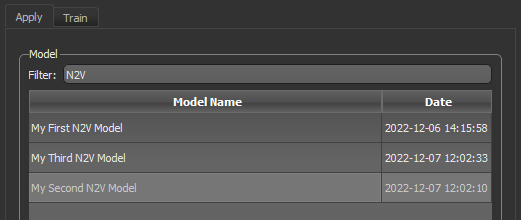
The items in the Parameters box are activated.
- Choose the dataset that you want to apply the model to in the Input drop-down menu.
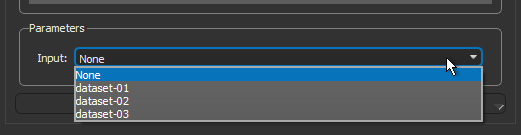
- Click the Apply button and then choose how you want to apply the model — to the Full Dataset or With Mask.
Note If chose to apply the model with a mask, you will need to choose a mask in the Choose a Mask ROI dialog, as shown below.
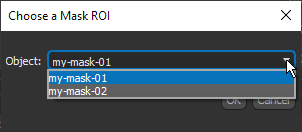
The selected model is loaded and then applied. When processing is complete, a new dataset of the inference appears in the Data Properties and Settings panel.
